Configuration
Right-click the antares2goats extension badge and select Options. The following window appears:
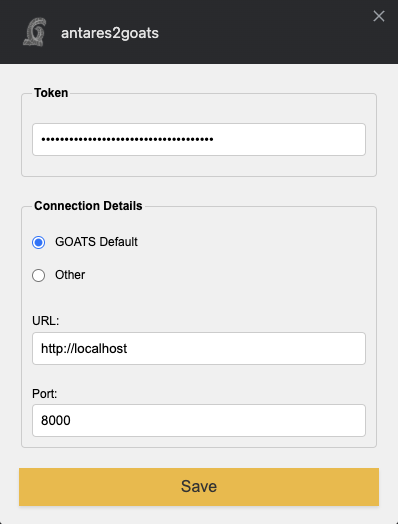
Fig. 6 The extension’s Options panel, showing Token and Connection Details fields.
Enter your GOATS authentication token in Token, then click Save. If you changed the default GOATS address or port, update them in Connection Details. Most users keep the defaults unless they’ve configured GOATS on a custom domain or port.
Getting Your Token
Follow these steps to generate or retrieve your token from GOATS:
Log in to GOATS.
Click your username in the top-right corner, then select Users.
Locate your username in the list.

Fig. 7 The Users panel to generate authentication tokens for different accounts.
Click Generate to create a new token for the appropriate account.

Fig. 8 Example of a newly generated token. It appears only once.
Copy this token and paste it into the Options panel of the extension. If needed, regenerate it later to invalidate the old token and create a new one.