Add existing observation
Users can add a past/existing Gemini observation of a target on GOATS to create a dedicated page for the given observation ID.
Note
For Gemini observations, make sure that the ID you are adding is the observation ID and not the program ID. Then, click the Update Observation Status button to retrieve the status of the observation from the Gemini Observing Database.
If one would rather have the data for a given Gemini program ID, follow the instructions in Working with Gemini program ID.
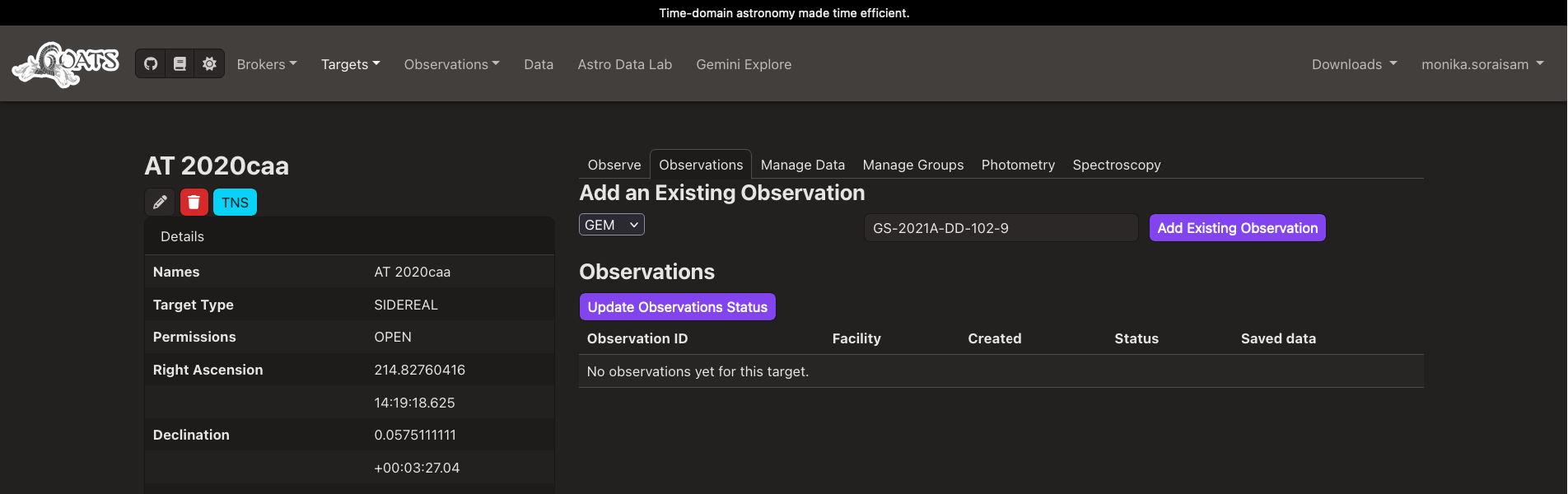
Fig. 4 Option to add an existing Gemini observation ID for a given target on GOATS (click on the image to see an enlarged version).
The image below shows the observation detail page for the ID added (see also the video in Download Gemini data).
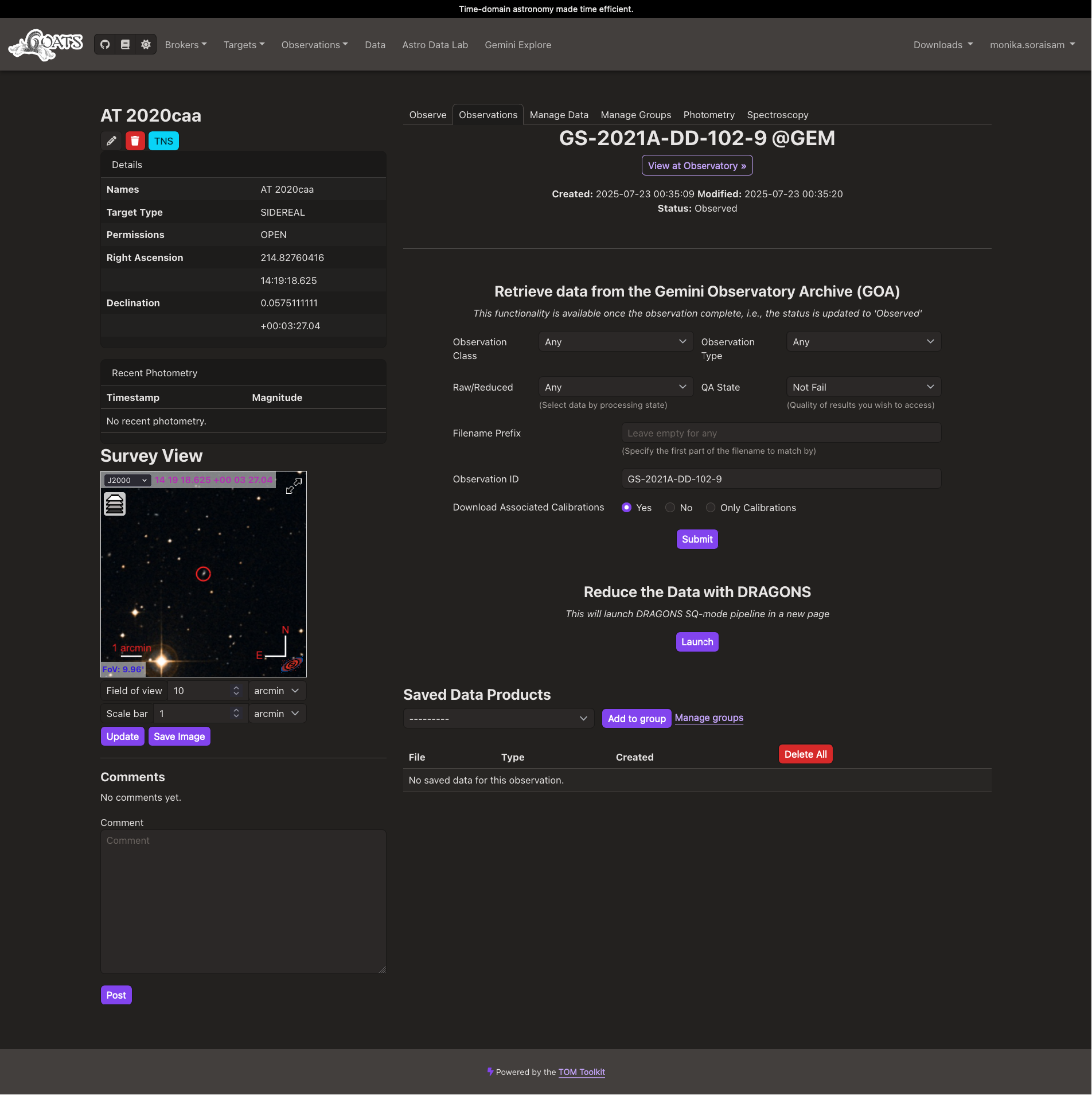
Fig. 5 Observation detail page for the Gemini observation ID added for a given target on GOATS (click on the image to see an enlarged version).